Key takeaways
- An internal link should help someone move from the current page to a relevant next answer, task or decision.
- Map page intent and one preferred destination before choosing anchors or adding links.
- Use a small inventory, topic groups and source-to-destination decisions to build a maintainable page map.
- Keep anchors descriptive, verify live canonical destinations and give important pages a useful incoming path.
- Review navigation, broken links and reader behaviour; a higher link count is not a ranking or business result.
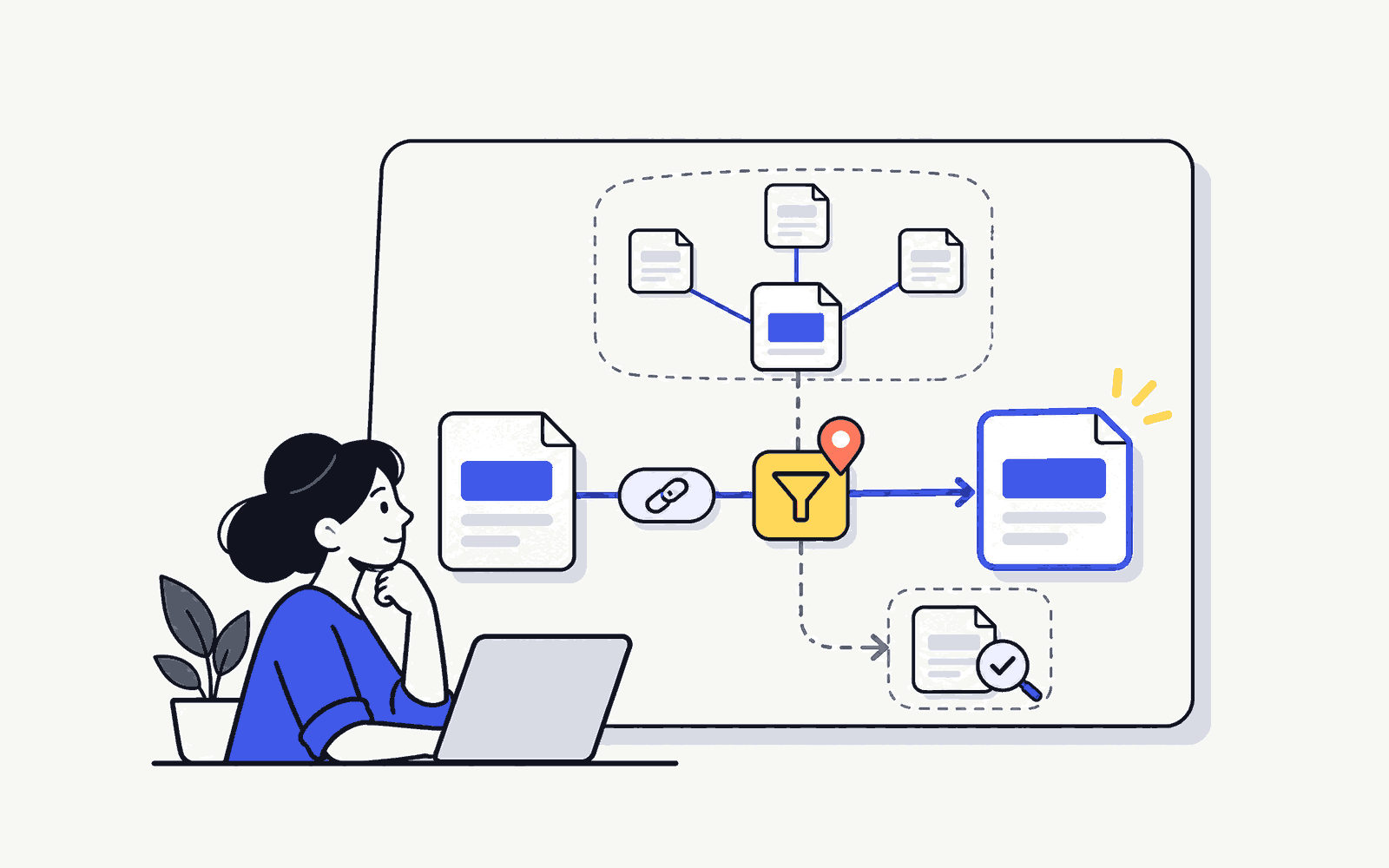
Start your internal linking strategy with one page. Ask what a reader would need next, find the page that answers that question and write link text that tells them where they’re going. Use the keyword mapping workbook to keep your target pages and linking decisions together.
You do not need to start with a large crawl or add links to every repeated keyword. Begin with a small group of important pages and record the relationship between them. This guide uses a fictional weekend pottery studio to show the method, including page selection, contextual anchors, verification and review. The example is a teaching exercise, not a claim about an actual business.
What internal links should accomplish
Internal links connect one page on your site to another page on that site. A navigation menu can link to the main course page; an article can point to a detailed explanation; a product page can link to delivery information. These links have different jobs, so they should not all follow the same placement rule.
For the reader, a good link answers a practical question: what can I understand or do next? For search engines, standard links provide discoverable connections between pages. Google’s link best practices recommend crawlable links, descriptive anchors and at least one other page linking to every page you care about. That guidance is not a promise that adding a link will produce a particular ranking.
Keep three purposes visible in your map. Navigation helps people find important destinations. Contextual links extend the explanation at the moment a related question appears. Next-step links help a reader act after the page has answered its main question. A link may support more than one purpose, but it should have a clear reason to exist.
Begin with page ownership and intent
Before drawing connections, decide which page owns each main task. If two pages both claim to explain the same beginner topic, adding more links can make the ambiguity harder to maintain. Review the content and purpose first. Different wording alone does not establish a separate search intent.
For example, a studio’s class page might help someone choose a pottery course. A guide about choosing clay helps a learner understand materials. A booking page completes a transaction. Those are separate tasks with useful connections. Two thin pages titled “beginner pottery course” and “pottery lessons for beginners” may instead be competing descriptions of the same offer.
Record one preferred owner for each task, together with any distinct supporting pages. Keep a note when ownership needs editorial review; do not silently merge, delete or redirect pages while doing a linking exercise. A beginner can identify the ambiguity and propose a decision without taking an irreversible action.
SERA’s keyword research guide for beginners explains the earlier query-to-page step. Use that research to understand the intended page, then review the actual content. A spreadsheet label is not enough if the destination does not deliver the promised answer.
Build the page map in four moves
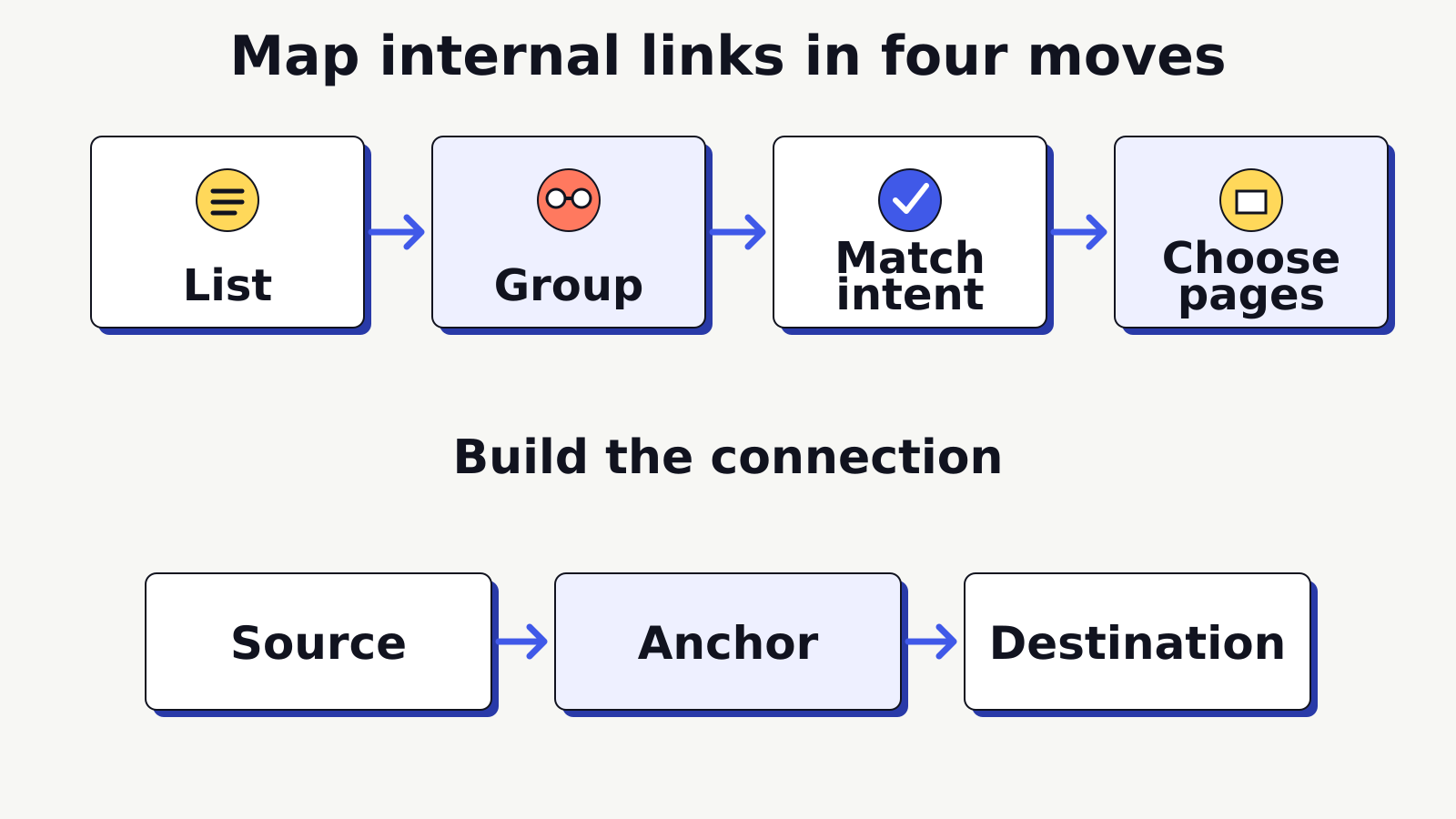
Use four moves: list the pages, group related subjects, match the reader’s intent and choose the connection. This is a practical learning framework rather than a required Google template. Its value is that another editor can inspect the decision and maintain it later.
1. List the pages that matter
Start with a manageable inventory. Include the homepage, main offer or category pages, useful guides, common questions and important next steps. For a small site, opening each page and recording its final URL may be enough. On a larger site, use an authorized export or crawl, then review the pages you intend to connect.
Give every row a page title, preferred URL, content type, what the reader came to do and current status. Mark pages that are drafts, unavailable, outdated or awaiting an ownership decision. Keep those rows as planning records, but do not insert their URLs into publishable content as if they were working destinations.
2. Group related subjects
Group pages by a meaningful topic or task, not by a repeated word. The pottery studio might have one group about classes, another about materials and another about finished work. A class overview can serve as the parent for beginner and intermediate class details, while a materials guide supports several learning questions.
A group does not require a link between every member. A page about glazing safety may belong near materials content yet have little reason to link to a corporate event booking page. Grouping supplies context for a decision; it does not replace editorial judgment.
3. Match intent before anchor text
Write the question a reader has at the proposed link location. Then inspect whether the destination answers it. Someone reading about preparing for a first class may need a list of what to bring. A link to a generic company history page would interrupt that task, even if the surrounding sentence mentions the studio.
Check the destination’s format as well as its subject. A learner expecting a short preparation checklist should not land on a sales form with no instructions. A buyer ready to compare class options needs the current class details rather than another broad introductory article. Use search intent examples to practise separating topic similarity from task similarity.
4. Choose source, anchor and destination
Write the source page and exact section, the descriptive anchor, the preferred destination and a sentence explaining the relationship. Add an owner and review date. Those fields turn a collection of URLs into a usable editing plan. If the justification is only “this keyword appears here,” inspect the connection again.
Keep the decision understandable without your memory. “Link from the paragraph about clothing to the first-class preparation guide, because the reader needs practical instructions” is useful. “Add SEO link” is not. A future editor should be able to tell whether a page update has changed the reason for the connection.
Work through a small-site example
Imagine Clay Corner, a fictional studio offering beginner classes and occasional workshops. Its editor is reviewing five existing pages: a class overview, a beginner class detail page, a preparation guide, a clay selection guide and booking instructions. The goal is to make the learning and booking path easier to follow, not to increase the total number of links.
| Source and moment | Destination | Proposed anchor |
|---|---|---|
| Class overview: explaining the beginner option | Beginner class detail | beginner pottery class |
| Beginner detail: setting expectations before arrival | Preparation guide | what to bring to your first class |
| Preparation guide: explaining the material supplied | Clay selection guide | how the studio chooses clay |
| Beginner detail: after schedule and suitability information | Booking instructions | booking and cancellation steps |
| Clay selection guide: showing where beginners practise | Beginner class detail | practise these basics in a beginner class |
Notice that the same class page receives two different anchors. The overview uses a short category description; the materials guide explains the practical connection. Both refer to the same destination and preserve its ownership. You do not need to repeat one exact phrase on every source page.
The preparation guide does not automatically receive a link from every page. It earns a link where someone is thinking about attending a class. Similarly, the booking instructions belong after the information needed to make a decision. Placing a booking link before answering basic suitability questions can create a less helpful path.
Review the map from the destination side too. The beginner detail page has incoming paths from a relevant parent and a supporting guide. If a useful page has no incoming links, inspect whether it belongs in the group, needs a navigation entry, or should be referenced in a specific explanation. Do not add an unrelated link just to remove an orphan-page warning.
Pro Tip
Read the sentence before and after the proposed anchor aloud. If the linked phrase promises something the destination does not immediately provide, change the destination or rewrite the sentence before adding the link.
Choose the relationship, not a link quota
A parent page gives a useful overview and points to detailed children. A supporting page can link back to the overview when the broader choice helps the reader. Sibling pages can connect when the reader needs a comparison or a closely related answer. These relationships describe useful navigation rather than mandatory links in both directions.
Suppose the studio adds an intermediate class. Linking it from the class overview is sensible. Linking it from the first-class preparation guide may be unnecessary because that reader is preparing for a beginner session. The intermediate page could instead connect to a skill-assessment explanation that helps someone judge whether they are ready.
A next-step link can cross topic groups when the relationship is clear. A glazing article might link to a workshop that actually teaches that process. Explain the connection in the sentence. Do not use a shared category or commercial priority as the only reason to interrupt a reader with an unrelated offer.
There is no magical ideal number of links for every article. A short answer might need one reference and one next step. A detailed learning guide may need several supporting explanations. Review usefulness, destination quality and readability. Counting links can help you spot an unusual page, but a count alone cannot decide what to add or remove.
Write anchors that set an accurate expectation
Anchor text is the visible, clickable description of a link. Prefer wording that makes sense inside the sentence and gives the reader a reasonable idea of the destination. “Class preparation checklist” says more than “click here” when the linked page is a checklist. A full sentence may sometimes be appropriate, but unnecessarily long anchors can make the paragraph harder to scan.
Use topic words when they are genuinely descriptive. Avoid forcing every variant into the anchor or repeating the same phrase several times on one page. The purpose is not to make the text sound like a keyword export. Write for the person who is deciding whether the next page will help.
Maintain a simple anchor-to-destination record for recurring topical labels. If “beginner pottery class” points to one course detail page in the overview and a different competing course page in a guide, inspect whether the wording is ambiguous or the ownership decision is unresolved. Different descriptive anchors can point to the same preferred page without creating that confusion.
A repeated phrase can have a different meaning in another context, so do not mechanically change every occurrence across the site. Read the sentence and destination. The register is a consistency check, not authority for a bulk replacement. Flag legacy URLs and duplicate owners for review before editing established content.
Check the destination before insertion
Open the proposed destination as an ordinary visitor. Confirm that it loads, provides the expected content and resolves to the intended final URL. A working admin preview is not a public destination. A login screen, draft page or error should remain a deferred link until the page is genuinely available.
Check redirects rather than copying the first address you receive. An old course URL may redirect to a new course owner. If the final page satisfies the same task, record and use the verified final URL. If it redirects to a broad homepage that no longer answers the question, a technically successful response does not make the link useful.
Where canonical ownership matters, ask the responsible SEO or developer to confirm the preferred URL. Avoid choosing among duplicate filter, tracking or print versions only because each loads. The internal map should be consistent with the site’s actual preferred owner, while unresolved technical questions remain clearly marked for review.
Use real links with an href destination for essential paths. Google’s crawlable-link guidance explains why standard anchor elements are the reliable starting point. A button-shaped element can be a link, but a visual label or click handler alone is not proof that the connection is accessible or discoverable. Ask a developer to review custom navigation when necessary.
Review navigation and orphan-page risk
Navigation and contextual links complement one another. A menu provides stable access to important sections. A contextual link explains a relationship within the content. A breadcrumb can help someone understand the current page’s position in a hierarchy. Adding the same large menu to every paragraph is not a substitute for those different functions.
An orphan page has no useful internal incoming path in the inventory you are reviewing. Be precise about the evidence: an incomplete crawl, a restricted area or a JavaScript navigation issue can make a page appear orphaned in one dataset. Verify how a visitor reaches it before declaring that no path exists.
For a small site, start from the homepage and relevant section page, then follow the intended journey. Can a reader discover the important page without knowing its URL? Can someone arriving on a supporting article find the broader explanation when they need it? Record the missing relationship rather than simply adding the page to every footer.
Google’s sitelinks guidance recommends a logical site structure and clear, relevant internal anchors. You cannot choose or guarantee sitelinks by completing a map. Use the underlying navigation principles to make the site easier to understand.
Pro Tip
Review each important destination as well as each source article. A source-only checklist can look complete while a valuable page still has no relevant incoming path. Add a destination view to the same sheet before declaring the exercise finished.
Record decisions in a usable worksheet
Keep the worksheet lean enough to maintain. At minimum, record source URL, source section, reader question, destination owner, anchor, relationship, verification result, editor and review date. Add a status such as proposed, approved, inserted, deferred or needs review. These statuses describe editorial work, not a claim that search engines have processed the change.
Separate the proposed anchor from the wording actually inserted. Editing may improve the sentence and change the final text. Record the final version after saving so another reviewer can compare the page with the plan. Keep a brief reason for rejected links too; otherwise the same unsuitable suggestion may reappear in the next review.
For a team, clarify who can approve a link and who owns the destination. A content editor can often insert an ordinary contextual link, while a changed course URL or duplicate-page decision may need a different owner. Small sites may have one person holding several roles, but the responsibility should still be explicit.
Verify the published change
After an approved edit is saved, read the actual page. Click the link and confirm the destination. Check keyboard focus, visible link contrast, meaningful anchor wording and mobile wrapping. If the site uses a table or visual map to explain the relationship, the surrounding text should still make sense when the image is not available.
Recheck headings and paragraph flow. A link inserted into a sentence can accidentally duplicate a word, break punctuation or turn an entire paragraph into one anchor. Confirm that the link opens as intended and that no accidental tracking or preview parameter was saved in the content.
Do not treat a successful save as proof of correct rendering. Page builders, theme filters and caching can affect what a visitor sees. Preserve a short evidence record showing the final source, destination and review date, then assign a later check when the destination is likely to change.
Measure usefulness and maintain the map
Start with quality controls you can observe: important pages with relevant incoming paths, verified destinations, corrected broken links and completed ownership decisions. These show whether the linking work was implemented carefully. They do not establish that a business outcome occurred.
Where authorized analytics are available, inspect how readers use the journey. A useful click from an explanatory guide to a relevant course page may be more informative than an increase in total internal clicks. Consider page context, event definitions, consent requirements and other changes before drawing conclusions.
Search performance can change for many reasons, including content revisions, demand, technical fixes and competition. Annotate substantial linking changes and compare an appropriate period, but avoid claiming that a ranking or enquiry movement was caused by one link without evidence that supports that conclusion.
Schedule maintenance around meaningful triggers: new pages, changed offers, retired content, redirects, navigation updates and major revisions. When a destination changes purpose, revisit the incoming anchors as well as the URL. A link can remain technically live while its promise becomes inaccurate.
Turn a weak suggestion into a decision
A proposed link often begins as a vague instruction such as “add a course link to the clay article.” Work through that suggestion rather than accepting or rejecting it immediately. Read the article and identify the exact moment at which a class becomes relevant. If the article only explains how different clay bodies behave, a commercial next step may not help until the end.
Next inspect the proposed class page. Does it explain the material and skill level discussed in the article, or is it an unrelated workshop? A beginner class that includes supervised practice with that material may be a reasonable destination. A specialist advanced workshop may not be. Record the evidence instead of treating every course page as interchangeable.
Then draft a sentence that makes the relationship explicit: “If you want supervised practice with these basic techniques, compare the beginner class content.” The anchor could be “beginner class content” if that is what the destination provides. Do not imply that the class includes a technique until the offer owner has confirmed it.
Finally record the decision. The source is the clay guide’s closing practice section; the destination is the preferred beginner class page; the relationship is a relevant learning next step; the approval condition is a verified match between the guide and current class content. If that condition is not met, defer the link. This sequence produces an auditable editorial choice rather than a keyword insertion.
Prioritise repairs before adding more links
When you review an existing site, separate broken journeys from opportunities to add detail. A course overview that links to a missing class page is a different problem from an article that could benefit from an optional supporting explanation. Fix a verified broken essential path before spending time on marginal suggestions.
Use a simple priority note with evidence. “The main class navigation leads to a missing page” is actionable because it identifies a location, destination and affected task. “Internal linking needs improvement” does not tell the editor what to inspect or why the work matters. Avoid invented numeric scores when the available evidence is qualitative.
Review changes that affect several sources together. If a class page is retired, list its known incoming links and decide on the closest useful destination for each context. A blanket switch to the homepage may leave anchors promising details that no longer exist. The correct action can differ across sources, even when the old URL is the same.
Keep the maintenance record proportional to the site. A small team can use one sheet and a short review checklist. A larger team may need an approval workflow and a shared inventory. The objective remains a set of accurate, useful paths that someone owns, rather than an impressive but unattended spreadsheet.
Practise with one topic group
Choose five to ten pages from a site you are allowed to review. Write the task and preferred owner for each, group related pages and propose only the connections you can explain. Mark uncertain ownership, draft destinations and technical concerns instead of guessing. Then ask someone else to follow the journey using your map.
Your finished exercise should show more than arrows. Include the reason for each source-to-destination decision, the actual anchor, verification evidence and a review owner. A short, defensible map is more useful than a large diagram full of connections that nobody can justify or maintain.
Check the usefulness of each destination with the on-page SEO checklist. Keep same-site navigation separate from earning external references; the link building vs digital PR comparison explains those different outreach goals.
Practise page mapping with guidance and feedback.
Frequently asked questions
How many internal links should a page have?
Use the links that help someone navigate, understand a related answer or take a relevant next step. There is no universal ideal count. Review the page’s purpose, length and destination quality rather than applying the same quota to every article.
Should every supporting article link to the main page?
Link to the main page when the broader explanation or offer helps the reader at that point. Topic-group membership alone does not justify a forced link. Record the relationship and place the anchor where the next question naturally appears.
Can I use different anchors for the same destination?
Yes. Different source contexts can describe the same preferred page in different natural ways. Keep each anchor accurate. A recurring exact topical anchor should consistently identify its intended owner rather than silently point to competing pages.
Does a sitemap fix an orphan page?
A sitemap and a useful internal path serve different purposes. A sitemap can help discovery, but it does not give a visitor a contextual route through the site. Verify the page’s incoming navigation and editorial connections separately.
What should a beginner do when two pages seem to own the same topic?
Record both pages, their actual content and the intent overlap, then ask the responsible editor or SEO owner to decide. Do not merge, delete or redirect them as part of a routine linking exercise. Add links after ownership is clear.