Key takeaways
- A demo class should reveal how the trainer explains, demonstrates, checks understanding and corrects work, not only how the course is sold.
- Ask what learners build, who reviews each output and whether revision after feedback is part of the process.
- Request the curriculum, live hours, batch limit, materials, tool access, assessment rules, complete cost and policies in writing.
- Career-support wording should be itemised service by service and kept separate from any employment guarantee.
- Record confirmed facts, missing evidence and follow-up questions, then compare the documents after the visit before paying.
At a digital marketing demo class, ask the trainer to work through one real task while you watch. Then ask how they would review your work on the same task.
Use a demo as one observation point. Compare what you see with the current curriculum, timetable, policies and admission document. Check with the provider whether it currently offers a demo or trial before planning around one.
What should you ask in a demo class?
Digital marketing demo class questions should test what the trainer actually does, not how persuasive the counselling pitch sounds. Ask to see a real task, feedback method, project standard, batch format, complete cost and written career-support terms. Record the answers, request evidence and compare them after the visit before paying or sharing documents.
Separate three kinds of evidence. First, observe teaching during the session. Second, request representative learning evidence such as a blank task brief, anonymised output or feedback rubric. Third, collect written programme facts and commercial policies. One confident verbal answer should not replace any of these.
Questions to ask in a demo class
Use this question map at the start of the conversation. It covers the six areas most likely to expose a gap between presentation and delivery.
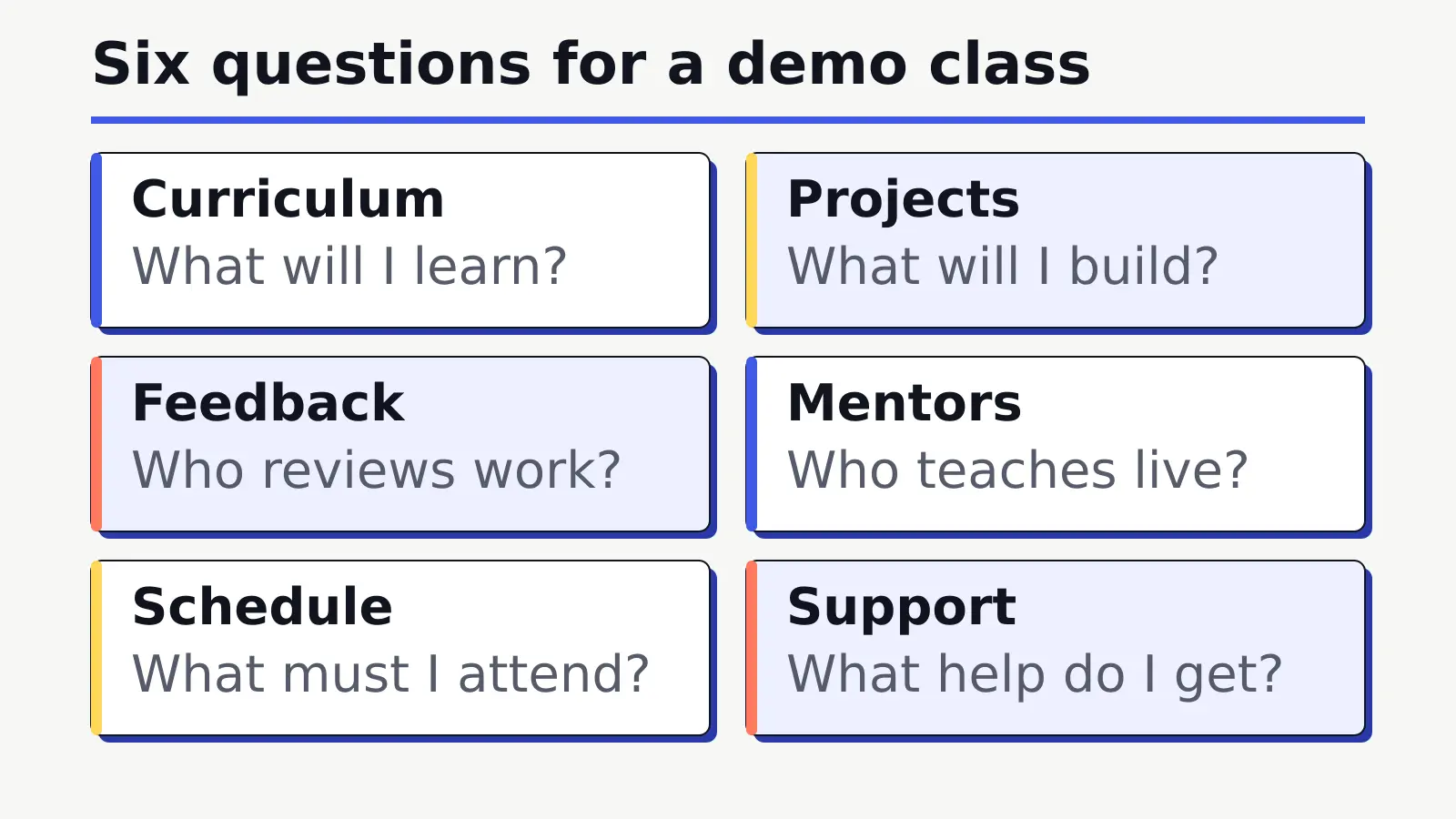
| Area | Question | Evidence to request | What to note |
|---|---|---|---|
| Curriculum | What will I learn, and in what sequence? | Current module and session map | Clear progression rather than a tool list |
| Projects | What will I build? | Blank brief, output list and review criteria | Learner decisions, not a copied sample |
| Feedback | Who reviews my work? | Feedback process and representative rubric | Specific correction and revision opportunity |
| Trainer | Who teaches the enrolled batch? | Named role, subjects and verifiable credentials | Whether the demo trainer is also involved later |
| Schedule | What must I attend? | Live hours, weekly timetable and missed-session policy | Realistic weekly load |
| Support | What help do I get? | Batch limit, doubt process, resources and access period | Named service rather than “full support” |
Ask the trainer to teach a real task
Ask for one small, representative task rather than a tour of several interfaces. The trainer should explain the objective, inputs, decision, output and limitation. For an SEO example, that might mean identifying the likely search intent, showing the evidence, recommending a page change and naming what the evidence cannot prove.
- What problem is this task solving?
- Which inputs or source data are required?
- Why is this approach suitable?
- What should the learner save or submit?
- How would the trainer check the output?
- What limitation or uncertainty remains?
Interface clicks without reasoning show tool navigation, not necessarily marketing judgement. A useful demonstration makes the decision process visible and leaves room for questions.
Check how beginners can ask questions
Observe whether the trainer defines unfamiliar terms, checks understanding and welcomes clarification without making the learner feel behind. Ask how questions are handled in a normal class, between sessions and during project review.
| Observation | Useful signal | Follow-up question |
|---|---|---|
| Clarity | The trainer explains the “why” before the steps | How are beginners supported when they miss a concept? |
| Example quality | The example has a realistic objective and limitation | Will enrolled learners practise a similar task? |
| Question handling | Questions receive direct, specific answers | Is doubt clearing individual, group-based or both? |
| Correction | The trainer identifies an error and explains a better approach | How often is learner work corrected? |
| Participation | Learners make a decision or complete a small step | What proportion of a regular session is guided application? |
One demo may be more polished than a regular class, so ask whether the same trainer, interaction model and session structure apply to the enrolled batch. Record the answer rather than assuming continuity.
Verify guided practice and feedback
Practical learning needs more than an exercise label. Ask how a learner moves through attempt, review, specific feedback, revision and recheck. A course can include many assignments while offering little correction.
- How often do learners complete guided tasks?
- Who reviews the output, and against which criteria?
- Is feedback individual, group-based or written?
- How quickly is feedback usually returned?
- Can the learner revise and resubmit?
- How are repeated errors identified across modules?
Pro Tip
Ask to see a blank task brief, a permission-cleared or anonymised first attempt, the trainer’s feedback and a revised version. This tests the learning cycle without exposing private learner information.
Ask to see project standards
If the presenter says the course is project-based, ask what a learner saves at the end. Useful outputs might include an editable brief, audit, campaign structure, content calendar, tracking plan, report or presentation. A screenshot of a finished dashboard does not show who created it or how the learner reasoned. Use those outputs to compare courses using an evidence-based checklist after the visit.
| Project field | Evidence to request | Red flag |
|---|---|---|
| Brief | Objective, audience, constraints and expected output | “Live project” with no written task |
| Learner decision | Rationale for channel, message, targeting or measurement choices | A copied template with no explanation |
| Review | Rubric, checkpoint or feedback sample | Submission without correction |
| Revision | Before-and-after evidence | One final output only |
| Capstone | Component list, integration and presentation requirement | A project name with no visible scope |
Portfolio-ready does not mean employment-guaranteeing. A course may help learners create reviewable outputs and improve them after feedback, but the quality and relevance of each learner’s work still need individual evaluation.
Compare syllabus depth and sequence
Use the demo to test whether the curriculum has a learning sequence, not to conduct a full syllabus audit. Ask five focused questions:
- Which foundations come before channel tools?
- How does each module move from explanation to guided work and review?
- Where are SEO, AI search, paid media, social and analytics connected?
- When were screenshots, platform interfaces and official source links last checked?
- Where do consolidation, capstone, revision and assessment appear?
Request the current module and session map. An “updated syllabus” claim needs a date and visible changes. A long list of tool names does not establish depth, practice or feedback.
Confirm trainer, batch and support details
| Fact | Question | Written evidence |
|---|---|---|
| Trainer | Will the demo trainer teach my batch, and who teaches each module? | Trainer role and subject responsibility |
| Live hours | How many sessions, how long and how often? | Timetable and total live hours |
| Batch size | What is the maximum for my delivery mode? | Current course document, not “limited seats” |
| Doubt support | When and how can questions be raised? | Support channel and response process |
| Missed sessions | Are recordings, make-up sessions, readers or another option available? | Attendance and missed-session policy |
| Resources | Which readers, PDFs, templates or files are included, and for how long? | Resource list and access period |
Translate broad phrases into numbers and named processes. “Small batch” needs a maximum. “Personal support” needs a channel, owner and response expectation. “Lifetime access” needs a definition of the files, platform and continuation conditions.
Request complete fee and refund terms
Request one written commercial summary before paying. It should state the total fee, taxes if any, registration charges, tool and account costs, instalments, payment dates and every policy that can change the amount owed.
- What is included in the quoted fee?
- Which tools, advertising spend or accounts require separate payment?
- Are taxes and registration charges included?
- What are the instalment dates and consequences of delay?
- What refund, transfer, deferral, exit and make-up rules apply?
- Which terms remain incomplete or subject to change?
The CCPA coaching-advertising guidelines identify false claims about fees and exit or refund policies as misleading. Treat a spoken discount as incomplete until the amount, eligibility, expiry and policy are written without pressure.
Clarify career support without guarantees
Keep this part of the demo conversation to three precise questions:
- Which career-support services are included, who provides them and how often?
- What eligibility, learner duties, duration and exclusions apply?
- Is any interview, offer, joining or employment outcome promised, and where are the complete terms?
Resume reviews, opportunity sharing and employer introductions describe specific forms of support. If a provider mentions placement support, ask for the activities, eligibility, duration, limits and written evidence. Ask how it calculated any placement percentage, including the cohort, denominator, outcome definition, period and verification method. The comparison guide explains how to check the written conditions.
Check tools, accounts and resource access
Ask whether practice uses prepared data, sandbox accounts, draft structures or real client accounts. Clarify who creates accounts, who owns the data, whether live spend is required and which tools are paid separately. A beginner exercise should not depend on undisclosed client access or unapproved spending.
Ask about the demo itself as well. Is the session recorded? Who can view the recording, and for how long? Which contact details or learner responses are collected? Is consent for promotional use separate from essential course communication? A clear answer should distinguish attendance administration, learning access and marketing permission rather than bundling them into one vague consent.
- Which tools are essential, optional or demonstrated only?
- Who pays for each subscription or advertising cost?
- How long does access continue after the module or course?
- Can exported work be retained for a private portfolio?
- How are personal, client and platform data protected?
- Are recordings made, who can access them and is notice provided?
Notice pressure tactics and vague answers
| Red flag | Why to pause | Follow-up |
|---|---|---|
| Pay today to secure the last place | Urgency can prevent document review | Request written availability and offer terms |
| The trainer avoids a small teaching demonstration | The session may be a sales presentation only | Ask for a representative task and reasoning |
| Projects are shown without briefs or feedback | Authorship and learning process are unclear | Request anonymised process evidence |
| “Updated syllabus” has no version date | Currency cannot be checked | Ask for the current session map and review date |
| Fees or refunds are verbal only | Material terms may change later | Request one complete written commercial summary |
| Career outcomes are guaranteed | Hiring depends on learner and employer decisions | Request the full written claim and evidence |
A vague answer is not always proof of poor delivery, but it is an unresolved item. Record it as such. The appropriate next step may be a document request, a follow-up conversation or choosing not to decide yet.
Record answers in a demo class checklist
Use one row per decision area. Score the evidence, not the confidence of the presentation:
- 0: no answer or only a verbal promise
- 1: partial answer without verifiable written detail
- 2: clear answer supported by current written evidence or a representative demonstration
| Area | Answer notes | Evidence received | Score | Follow-up action |
|---|---|---|---|---|
| Course structure | Sequence and live hours | Current session map | 0–2 | Confirm missing dates or hours |
| Trainer and teaching | Reasoning, clarity and batch trainer | Representative demonstration and role details | 0–2 | Verify trainer responsibility |
| Practice and projects | Tasks, outputs and capstone | Blank brief or anonymised example | 0–2 | Request review criteria |
| Feedback | Owner, frequency and revision | Rubric or process document | 0–2 | Confirm turnaround |
| Batch and support | Limit, questions and resources | Written support scope | 0–2 | Clarify mode-specific details |
| Commercial terms | Total cost and policies | Complete admission document | 0–2 | Resolve missing charges |
The score is a prompt for follow-up, not an accredited quality rating. Do not convert the total into “best course”, guaranteed quality or automatic enrolment advice. Career support should remain a separate decision because its importance varies and its written scope needs individual verification.
Pro Tip
Photograph or save the version date of every document you receive. If a policy changes between the demo and enrolment, ask which version applies before making payment.
Decide after the visit
After the demo, divide your notes into confirmed facts, unresolved questions, evidence received and pressure tactics observed. Do not let a lively session erase missing policy details, and do not let one awkward moment outweigh strong written evidence without a follow-up.
| Decision field | What belongs here | Next action |
|---|---|---|
| Confirmed | Facts supported by current documents or representative observation | Compare with your requirements |
| Unresolved | Missing, vague or conflicting answers | Send a written follow-up |
| Evidence received | Curriculum, timetable, policy, task or rubric | Check dates and consistency |
| Pressure observed | Urgency, unsupported outcome or verbal-only discount | Pause and request written terms |
| Decision | Proceed, compare further or decline | Record the reason without relying on one score |
You do not need to enrol immediately to prove interest. Take the time needed to compare the facts relevant to your goals, schedule and budget. A provider should be able to answer reasonable written questions without inventing scarcity.
A practical follow-up email can list each unresolved item in one line: the question, the answer heard, the document requested and the date needed for your decision. This creates a clean record and reduces the chance that separate verbal promises are later remembered as one complete policy.
If the written reply changes a material detail such as the trainer, timetable, batch limit, included tools or refund terms, update your checklist before comparing options. The latest verified document should guide the decision, not an earlier brochure or an informal message.
Take this checklist to the demo or counselling conversation and score the evidence, not the confidence of the presentation.
Frequently asked questions
What should I ask in a digital marketing demo class?
Ask who teaches, what learners build, how work is reviewed, batch and schedule details, tool access, assessment, complete fees, policies and career-support scope. Request current written evidence for each answer.
Should the trainer demonstrate a real task?
Yes, a small representative task can reveal clarity and reasoning. Ask the trainer to explain the objective, inputs, decision, output and limitation rather than only clicking through an interface.
How can I verify that course projects are practical?
Request a blank brief, expected outputs, review criteria and anonymised evidence of feedback and revision. A screenshot or project name alone does not show the learner’s decisions or correction process.
Which fee and policy details should I request in writing?
Request total fees, taxes, registration and tool costs, instalments, payment dates, and refund, transfer, deferral, exit and make-up policies in one current document.
Should I enrol immediately after a demo class?
Not necessarily. Record the answers, compare the written evidence with your goals and resolve missing details first. A same-day deadline or confident presentation is not a substitute for complete terms.

Mehul Shah
Mehul Shah is the founder and academic director of Sera Digital Marketing Academy in Ahmedabad. He has more than 11 years of experience in SEO, SaaS marketing and agency work. He writes about SEO, AI search and digital marketing, with a focus on how to audit websites, plan campaigns and measure results.